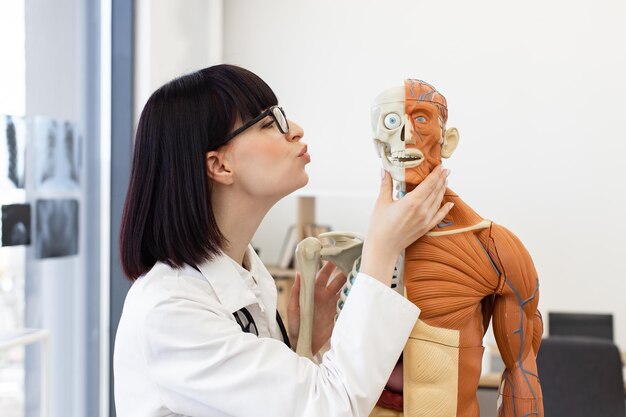
How 3D Anatomy Tools Are Revolutionizing Interactive Medical Training and Health Education
The human body is incredibly complex. For generations, medical students and health professionals have relied on 2D diagrams, textbooks, and occasional access to cadavers to understand it. Today, that picture is changing fast. 3D anatomy tools—from interactive apps to immersive virtual reality—are reshaping how people learn, teach, and communicate about health.
This shift is not just about new gadgets. It is about more intuitive understanding, safer practice, and more engaging education for both professionals and the public.
Why 3D Anatomy Matters More Than Ever
Medical knowledge is expanding, healthcare systems are under pressure, and learners are expected to master more in less time. At the same time, patients and the wider public are seeking clearer, more visual explanations of health and disease.
Traditional anatomy training has strengths, but it also comes with limitations:
- Flat images for 3D structures
- Limited access to cadavers or high-quality models
- Static content that cannot adapt to each learner’s pace or style
3D anatomy tools step into this gap by offering interactive, layered, and dynamic views of the body that can be explored from any angle, at any time.
What Are 3D Anatomy Tools?
3D anatomy tools are digital platforms that present the human body as fully interactive three-dimensional models. They can be accessed through:
- Web browsers or desktop software
- Mobile and tablet apps
- Virtual reality (VR) headsets
- Augmented reality (AR) devices or smartphone AR features
Common Features of Modern 3D Anatomy Platforms
Most contemporary tools include:
- Full-body models with detailed organs, bones, muscles, vessels, and nerves
- Layer control to show or hide systems (e.g., only muscles, or only the heart and vessels)
- Rotation and zoom for any structure from any angle
- Cross-sections and slice views (axial, sagittal, coronal)
- Annotations and labels with definitions and sometimes clinical notes
- Search functions to quickly locate specific structures
- Interactive quizzes that test recognition and spatial understanding
Some advanced tools also offer:
- Pathology modules showing disease states compared to normal anatomy
- Surgical simulations representing procedures in a risk-free environment
- Integration with imaging (linking CT/MRI scans with 3D anatomical models)
- Collaborative modes where multiple learners or instructors share the same virtual space
These capabilities are what make 3D anatomy so powerful for interactive medical training and health education.
From Dissection Labs to Digital Labs: How Teaching Is Changing
The Traditional Model: Strengths and Gaps
Historically, anatomy education has relied on:
- Textbooks and atlases
- Cadaver dissections
- Plastic models and charts
- Lectures and slide-based teaching
Cadaver dissection, in particular, has been considered a cornerstone of medical training. It allows hands-on exploration and fosters respect for the human body. However, many educators point to several challenges:
- Limited access to specimens
- Variability in quality and availability
- Time constraints in crowded curricula
- Ethical, logistical, and maintenance considerations
These constraints create demand for complementary methods that maintain depth of understanding while improving accessibility and flexibility.
The Digital Supplement: How 3D Tools Fit In
3D anatomy tools do not necessarily replace traditional methods; they often augment and extend them.
In classrooms and labs, educators use 3D models to:
- Project rotating organs or systems during lectures
- Demonstrate complex relationships that are hard to see in 2D diagrams
- Prepare students before they enter dissection labs
- Review key structures after practical sessions
Students, in turn, can:
- Study on their own schedules without lab access
- Revisit challenging regions repeatedly
- Build mental 3D maps before seeing real anatomical variations
The result is a blended model of anatomy education where physical and virtual experiences support each other.
How 3D Anatomy Tools Boost Learning and Retention
One of the biggest advantages of 3D anatomy tools is their ability to support deeper, more durable learning by aligning with how the brain processes spatial information.
1. Enhancing Spatial Understanding
The body is a 3D structure. Learning it from flat images requires constant mental translation:
- “Where is this muscle relative to the bone?”
- “How does this nerve pass between these structures?”
3D tools make these relationships explicit and visual. Learners can:
- Rotate the model to see structures from multiple perspectives
- Toggle layers to see how vessels run through muscles or organs
- Zoom in to appreciate depth and relative positioning
This visual-spatial reinforcement often makes complex regions clearer, such as:
- The skull base and cranial nerves
- The pelvis and surrounding organs
- The heart and great vessels
2. Supporting Active, Self-Directed Learning
Interactivity encourages active learning, which many educators associate with better engagement:
- Instead of passively viewing slides, learners control the viewpoint
- They can test themselves by hiding labels and trying to recall names
- They can explore “what if” scenarios by removing or isolating structures
This kind of exploration can help different learners progress at their own pace, revisiting challenging areas as needed.
3. Linking Anatomy to Clinical Context
Many 3D tools now include clinical overlays, such as:
- Common injury sites (e.g., fractures, ligament tears)
- Pathological changes (e.g., enlarged heart chambers, tumors)
- Procedural routes (e.g., catheter pathways, injection sites)
By showing healthy and altered anatomy side-by-side, these tools can help learners connect foundational knowledge to the realities of patient care, which is especially valuable in the later stages of training.
3D Anatomy in Medical and Health Professional Training
3D anatomy tools are increasingly used across a range of healthcare education pathways.
Medical and Dental Students
For medical and dental students, these tools can:
- Offer pre-lab orientation, so students arrive with a mental map
- Provide targeted review before exams or clinical rotations
- Help clarify difficult regions like the head and neck or inner ear
Some institutions integrate 3D tools into problem-based learning, where students investigate clinical cases and use anatomy platforms to support reasoning.
Nursing, Allied Health, and Therapy Programs
For nursing students and allied health learners (such as physiotherapists, occupational therapists, radiographers, and paramedics), 3D anatomy tools can:
- Emphasize functional anatomy and movement
- Show relationships between structures and clinical procedures, such as injection sites or airway management
- Provide visual explanations of conditions commonly seen in practice, like joint injuries or spinal problems
These visualizations can support understanding without requiring extensive dissection exposure.
Continuing Professional Development
Practicing clinicians and educators use 3D anatomy tools for:
- Reviewing anatomy relevant to new procedures or technologies
- Preparing for complex cases by revisiting specific regions
- Teaching patients, students, or colleagues with clearer visuals
This flexibility supports lifelong learning, which is increasingly important as healthcare practice evolves.
Immersive Technologies: VR, AR, and Mixed Reality
Beyond screen-based tools, immersive technologies like virtual reality (VR) and augmented reality (AR) are expanding what is possible.
Virtual Reality (VR) Anatomy Labs
In VR, learners wear a headset and are fully immersed in a digital environment:
- They can “step inside” the body, standing inside a beating heart or enlarged organ
- They may use hand controllers to grab, rotate, scale, or dissect structures
- They can collaborate in shared virtual spaces, interacting with the same model from different locations
Clinicians and educators note several potential benefits:
- Safe environments to explore delicate anatomy
- Highly memorable experiences that can reinforce recall
- Scalable access to anatomy labs regardless of physical location
However, VR can also introduce challenges such as hardware cost, motion discomfort for some users, and the need for technical support.
Augmented Reality (AR) and Mixed Reality in the Classroom
AR overlays digital models on the real world, usually through a smartphone, tablet, or headset:
- Learners can see a 3D heart floating above a desk, walk around it, and inspect it from all sides
- In clinical skills labs, AR can overlay anatomy on mannequins, showing where organs or vessels lie beneath the surface
- In group teaching, instructors can project 3D models onto shared screens while preserving physical interaction and discussion
This blend of digital and real-world elements can make teaching more interactive and collaborative, particularly when combined with hands-on practice.
Beyond the Classroom: 3D Anatomy for Patient and Public Education
3D anatomy tools are not only for professionals. They are also increasingly used for public health communication and patient education.
Improving Patient Understanding
Healthcare professionals sometimes use 3D models during consultations to:
- Show where a condition is located and how it affects surrounding structures
- Explain the steps of a procedure or surgery in visual terms
- Compare “before and after” views for certain interventions
This can help patients:
- Visualize what is happening inside their bodies
- Ask more specific questions
- Feel more informed when making decisions
The goal is not to replace professional explanations, but to support clearer communication.
Supporting Health Literacy and Self-Education
Members of the public often turn to online resources to understand health topics. Accessible 3D anatomy tools can:
- Provide visual context to supplement text-based information
- Show normal anatomy, helping people distinguish typical structures from disease descriptions
- Clarify common misconceptions, for example about joint movement or organ placement
This can contribute to greater health literacy, when combined with reliable medical guidance.
Key Benefits of 3D Anatomy in Training and Education
Below is a quick, skimmable summary of how 3D anatomy tools are changing the landscape.
🌟 Quick Takeaways: Why 3D Anatomy Tools Matter
- 🧠 Deeper understanding: Structures and relationships are easier to visualize in 3D than on flat diagrams.
- 🏥 Clinical relevance: Pathology, procedures, and imaging can be layered on top of normal anatomy.
- 🎓 Flexible learning: Students can explore at their own pace, anywhere and anytime.
- 🧪 Low-risk practice: Virtual environments allow repeated exploration without risk to patients.
- 👩🏫 Better teaching: Educators can demonstrate concepts dynamically and adapt to learners’ questions.
- 🗣️ Clearer communication: Patients and the public can see what is being explained, not just hear it.
Practical Ways 3D Anatomy Tools Are Used
1. Pre-Clinical and Clinical Teaching
Educators often integrate 3D anatomy tools in:
- Foundational anatomy courses to introduce organ systems
- Clinical modules (cardiology, orthopedics, neurology) to link structures with disease
- Case-based learning sessions to clarify how anatomy influences diagnosis and treatment options
For example, an instructor might:
- Present a case of a shoulder injury.
- Use a 3D model to show the rotator cuff muscles and their attachments.
- Rotate the model to highlight where tears commonly occur.
- Relate this directly to symptoms and examination findings.
This workflow helps students connect structure, function, and clinical presentation.
2. Simulation and Procedure Training
Some 3D platforms simulate procedures in a virtual environment, such as:
- Airways for intubation practice
- Vascular routes for catheterization
- Joint spaces for injections or arthroscopy overviews
Although these simulations are not the same as real-life experience, they can help learners rehearse steps, visualize approaches, and build confidence before practicing under supervision with real equipment or standardized patients.
3. Radiology and Imaging Interpretation
Understanding cross-sectional imaging (like CT and MRI) requires strong spatial skills. 3D anatomy tools often:
- Show linked views: 3D models side-by-side with slices
- Highlight key landmarks used by radiologists
- Allow toggling between surface anatomy and internal slices
This can help learners connect what they see in an image to a complete 3D structure, which is valuable across many specialties.
Limitations and Considerations: What 3D Tools Cannot Replace
While 3D anatomy tools offer many advantages, they are not complete substitutes for all forms of medical training.
Missing the “Feel” and Variability of Real Anatomy
Digital models often represent an idealized “standard” body. Real human bodies show:
- Variations in structure, size, and shape
- Differences caused by age, disease, surgery, or injury
- Textures and tissue planes that are only apparent in real specimens or live patients
Hands-on experiences—whether with cadavers, models, or clinical practice—still play a unique role in teaching tactile skills and exposing learners to natural variation.
Dependence on Technology and Access
Effective use of 3D tools depends on:
- Reliable hardware and software
- Adequate internet connections or offline access
- Technical support and updates
Not all institutions or learners have equal access to these resources. This can contribute to inequities in learning opportunities if digital tools are assumed to be universally available.
Need for Guided Use and Pedagogical Design
Simply providing 3D tools does not guarantee better learning. Educators still need to:
- Integrate them thoughtfully into curricula
- Align them with learning objectives and assessments
- Guide students on how to use them effectively, rather than just browsing
The most effective programs treat 3D anatomy tools as part of a broader teaching strategy, not as stand-alone solutions.
Comparing Common Learning Methods
To see where 3D anatomy fits, it can be useful to compare it with traditional resources.
| Method | Strengths 🟢 | Limitations 🔴 | Best Used For 💡 |
|---|---|---|---|
| Textbooks & Atlases | Detailed, portable, curated content | 2D only, static, may feel abstract | Definitions, overview, exam revision |
| Cadaver Dissection | Real anatomy, tactile experience | Limited access, logistics, not easily repeated | Deep appreciation of structures and variation |
| Plastic Models | Durable, reusable, good for groups | Less detailed, fixed positions | Basic orientation and demonstration |
| 3D Anatomy Apps (screen) | Interactive, accessible, layered views | No tactile feel, requires devices | Spatial understanding, self-paced learning |
| VR / AR Anatomy | Immersive, memorable, collaborative | Hardware cost, motion discomfort for some | Complex regions, simulations, engagement |
Each method contributes something different. The combination is often what leads to the richest learning experience.
Choosing and Using 3D Anatomy Tools Wisely
For educators, students, and lifelong learners, the growing range of 3D anatomy tools can feel overwhelming. While specific recommendations depend on local policies and resources, there are general ways to approach selection and use.
Factors Often Considered in Tool Selection
Educators and institutions typically look at:
- Content depth: Does it include all the systems and regions needed?
- Accuracy and detail: Is the anatomy realistic and clearly labeled?
- Usability: Is the interface intuitive for both teachers and learners?
- Assessment features: Are there quizzes or tracking options?
- Compatibility: Does it work on available devices and networks?
- Support and updates: Is there active development and technical help?
Students and independent learners might also consider:
- Affordability or free-access options
- Offline access for study on the go
- Language options and accessibility features
Making the Most of 3D Anatomy Tools
Here are some practical strategies often used to get better value from 3D tools:
- Pair them with other resources: Use 3D models alongside textbooks, lecture notes, or recorded explanations.
- Actively quiz yourself: Hide labels, identify structures, and check your answers.
- Follow structured pathways: Many tools offer guided lessons or system-based modules.
- Revisit tricky regions regularly: Short, repeated sessions can reinforce learning more than long, occasional sessions.
- Link to clinical scenarios: Whenever possible, connect what you see in 3D to real-world conditions or procedures.
Quick Checklist for Learners Using 3D Anatomy Tools
A short, skimmable guide for students, trainees, or curious learners:
- 🔍 Start with big structures, then zoom in. Build a general mental map before focusing on details.
- 🧩 Toggle layers (bone → muscle → vessels → nerves). See how systems overlap and interact.
- 🎯 Use search, then test yourself without it. Gradually rely less on the search bar for recall.
- ⏱️ Study in short, focused sessions. Regular, repeated use often supports stronger retention.
- 📚 Cross-check with other sources. Use textbooks, lectures, or verified health resources for context.
- 🧭 Stay aware of limits. Remember that digital anatomy is a guide, not a complete representation of every real body.
The Future of 3D Anatomy and Health Education
Looking ahead, several trends are shaping where 3D anatomy tools may go next:
- More personalization: Adaptive platforms that tailor content and difficulty based on a learner’s progress.
- Closer integration with imaging and real data: Linking patient scans to generic 3D models to support planning and explanation.
- Expanded collaboration: Multi-user environments where learners and educators can interact with the same anatomy in real time, across locations.
- Cross-disciplinary use: Shared platforms that serve medicine, nursing, therapy, dentistry, and even public health in coordinated ways.
As these tools evolve, a key focus remains constant: helping people understand the body more clearly, whether they are training to become clinicians, updating their professional skills, or simply learning more about their own health.
Bringing It All Together
3D anatomy tools are transforming interactive medical training and health education by bringing the body to life in new ways. They provide:
- Richer spatial understanding than flat images can offer
- Flexible, interactive learning experiences that align with modern education needs
- Powerful communication aids for clinicians, patients, and the public
At the same time, they work best alongside, not instead of, traditional methods like textbooks, models, dissections, and supervised clinical practice. When thoughtfully integrated, 3D anatomy becomes more than just a digital replica—it becomes a bridge between the complexity of the human body and the people striving to understand and care for it.