Freestyle Libre Sensors Explained: A Practical Buying Guide With LibreView User Insights
If you or someone you care about is exploring continuous glucose monitoring (CGM) for the first time, the Freestyle Libre sensor often appears near the top of the list. It’s widely used, relatively compact, and designed to simplify glucose tracking without frequent fingersticks.
But what is it really like to live with a Libre sensor? How does it compare within the Libre family of products? And what should you know about LibreView, the cloud-based platform many users rely on to understand their data?
This in-depth guide walks through the essentials in clear, everyday language—so you can navigate features, limitations, and practical considerations with more confidence and fewer surprises.
Understanding Freestyle Libre Sensors
What is a Freestyle Libre sensor?
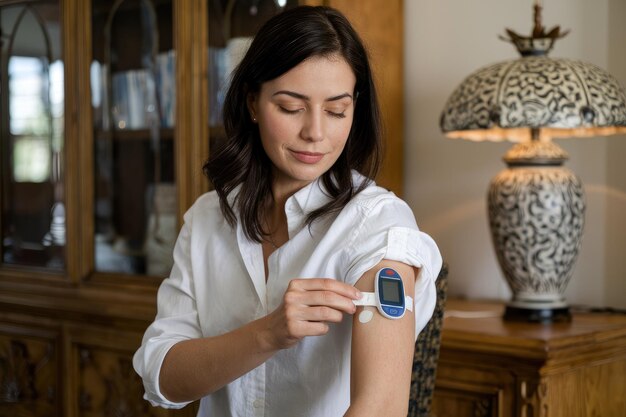
A Freestyle Libre sensor is a small disposable device that attaches to the skin and tracks glucose in the interstitial fluid (the fluid between cells) rather than directly in the blood. Users typically:
- Wear the sensor for a set number of days (often around two weeks, depending on model and region).
- Scan the sensor with a compatible reader or smartphone to see glucose information.
- Use the associated app or reader to review trends, ranges, and patterns.
The core purpose is to help people monitor glucose more continuously than traditional fingerstick methods, while avoiding constant finger pricks in many situations. Fingerstick meters may still be recommended at certain times, depending on professional guidance, but the goal is generally to reduce how often they’re needed.
Core components in the Libre ecosystem
Most Libre setups involve three parts:
- Sensor – Worn on the body and continually measuring glucose.
- Reader or smartphone app – Used to scan the sensor and view data.
- LibreView – A cloud-based platform that stores, displays, and shares reports.
Some sensors can also connect to companion apps that support alarms or additional features. The exact configuration can vary by product generation and region.
Freestyle Libre Sensor Generations: What’s the Difference?
Different Libre sensors share the same overall concept but can differ in wear time, scan behavior, alerts, and data connectivity. Names and availability may vary by country, but users often encounter:
- An earlier-generation Libre sensor (sometimes referred to informally as “Libre 1”)
- A newer-generation sensor with optional glucose alarms (commonly associated with “Libre 2” branding in some markets)
- Sensors designed to work more continuously with smartphones or insulin delivery systems (sometimes associated with “Libre 3” or similar next-generation names)
To keep this guide general and non-promotional, we’ll talk about earlier vs. newer Libre-style sensors and highlight the types of changes users commonly report.
Earlier vs. newer Libre-style sensors: Key distinctions
Many users describe the evolution of Libre sensors in terms of:
Connectivity
- Earlier sensors often require a manual scan with a reader or phone to see glucose data.
- Newer sensors may send readings more automatically to compatible devices, reducing the need for frequent scanning.
Alarms and alerts
- Early models usually rely on the user scanning the sensor to discover glucose values.
- Newer models may offer optional alarms for glucose levels going above or below set thresholds.
Refinements in comfort and application
- Across generations, users often mention incremental improvements in adhesive, sensor profile (how flat it lies on the skin), or ease of insertion.
- Experiences can vary widely by individual skin type and activity level.
Data detail and integration
- As the system matures, the supporting apps and cloud tools like LibreView tend to capture more detailed patterns and offer more flexible reporting.
The main takeaway: All Libre sensors aim to simplify glucose monitoring, but newer or more advanced versions tend to emphasize connectivity, alerts, and integration with apps and digital platforms.
How the Freestyle Libre Sensor Works Day to Day
Application and wear
Most Freestyle Libre-style sensors are:
- Applied to the back of the upper arm using a simple applicator.
- Worn continuously for a set wear period (commonly around two weeks).
- Waterproof to a certain depth and duration, within manufacturer guidance.
Users typically describe the application process as:
- Quick – Often just a few seconds once you’re familiar with the applicator.
- Mildly uncomfortable to neutral – Some feel a brief pinch; others report minimal sensation.
- Easiest when done calmly and with preparation – Cleaning the site, drying the skin, and avoiding irritated or scarred areas can help.
📝 Common practical tips users mention:
- Avoid placing the sensor exactly where tight sleeves or backpack straps rub.
- Let the cleansing swab dry fully before inserting the sensor to support adhesion.
- Consider gentle skin-prep methods if your skin tends to be sensitive (ideally under professional guidance).
Scanning and seeing your data
With most Libre sensors, users can:
Scan the sensor with a reader or smartphone to see:
- Current glucose value
- A directional arrow (showing whether glucose is rising, falling, or stable)
- A short history of readings stored on the sensor
On some newer models, glucose data may appear more automatically in compatible apps without a manual scan every time, especially when the phone stays within range.
This process turns many users’ daily routines into brief check-ins rather than more disruptive testing steps.
Pros and Limitations: A Balanced Look at Freestyle Libre Sensors
Potential advantages users often highlight
Many people using Libre-style sensors point to several recurring benefits:
Fewer fingersticks in many situations
Some describe switching from multiple fingersticks a day to only occasional checks, depending on professional guidance.Continuous feedback on patterns
Seeing trends (not just single numbers) can make it easier to understand how meals, activity, or stress relate to glucose changes.Discreet and quick checks
Scanning through clothing is possible with many setups, which can feel more private than pulling out a test kit in public.Motivation and awareness
For some, watching the glucose graph through the day reduces guesswork and increases engagement with self-care decisions.Data sharing
With tools like LibreView, users can share reports with healthcare teams or caregivers in a structured way.
Common challenges and trade-offs
At the same time, users and professionals often mention several considerations:
Warm-up periods
Sensors usually need a “warm-up” time after application before readings are available.Lag between interstitial and blood glucose
CGM systems, including Libre-style sensors, measure glucose in interstitial fluid, which can temporarily lag behind fingertip blood readings—especially during fast changes like intense exercise or rapid-acting insulin use.Adhesive and skin reactions
Some users experience skin irritation or trouble keeping the sensor adhered, particularly in hot, humid environments or with a lot of movement.Sensor loss or dislodgment
Sensors can sometimes snag on clothing or be knocked off, especially in contact sports or heavy physical work.Need for backup options
Many users keep a standard glucose meter available for calibration checks (if advised), backup readings, or when sensor readings and symptoms don’t match.Cost and access
Sensor availability, pricing, and insurance or reimbursement policies vary widely between regions. For some people, this is a major deciding factor.
Understanding both sides helps set realistic expectations: Libre sensors can simplify glucose monitoring but are not a complete replacement for judgment or other tools.
Freestyle Libre Comparison: Key Factors to Weigh
Even without naming exact models, you can compare Libre-style sensors by looking at a few core questions.
1. How often do you want to scan?
Earlier sensors:
- Require a scan to show the current glucose reading.
- Store a rolling history of data that appears each time you scan.
Newer or more connected versions:
- May send readings more continuously to an app or device.
- Can feel more “hands-off” for some users who prefer fewer manual steps.
If you like the idea of actively scanning and checking in periodically, a basic scanning sensor may feel perfectly adequate. If you prefer passive data flow and automatic alerts, exploring more advanced versions might make sense.
2. Do you want optional alerts?
One of the biggest differentiators among Libre-style systems is whether they:
- Offer low and high glucose alarms (with customizable thresholds), or
- Rely mainly on user-initiated scanning.
User feedback often breaks down like this:
- Some appreciate quiet, scan-based systems that do not buzz or beep unless they choose.
- Others feel safer or more relaxed with automatic alerts, especially overnight or when busy.
⚖️ Things to keep in mind:
- Alarms may provide earlier awareness of rapidly dropping or rising glucose.
- On the flip side, frequent alarms can lead to “alarm fatigue,” where users start ignoring or resenting the notifications.
3. What devices do you use?
Compatibility can influence your experience:
- Readers – Some people prefer a dedicated reader device because it separates health data from their phone.
- Smartphones – Others like using their own phone for convenience and integration with other apps.
- Wearables – In some regions, users can view glucose data on smartwatches or fitness devices through connected apps.
Checking which sensors pair with which devices—and what operating system versions are needed—can avoid frustration later.
4. How important is size and comfort?
As Libre-style products evolve, sensors have generally trended toward:
- Lower profiles (flatter against the skin)
- Subtle appearance
- Incremental improvements in comfort, as reported by some users
People who are very physically active, frequently bump their upper arms, or often wear snug clothes might pay closer attention to sensor size and shape within the Libre range.
5. What reporting features matter to you?
If you enjoy detailed analysis, historical trends, and printable PDFs, LibreView (and connected apps) may be especially valuable. Some users mainly want simple daily graphs, while others dive into:
- Time in range
- Overnight patterns
- Pre- and post-meal comparisons
- Day-of-week patterns
Thinking about how much data you actually want to see can guide whether you prioritize advanced reporting or prefer a simple, glanceable view.
LibreView: Turning Raw Data into Practical Insight
What is LibreView?
LibreView is a cloud-based platform that stores and displays glucose data gathered from Libre sensors and associated readers or apps. It’s designed to:
- Pull together readings from different days, sessions, or devices.
- Present clear graphs and summaries of glucose patterns.
- Offer ways to share information with healthcare teams or caregivers, where supported.
Users often access LibreView through a web browser or app, depending on their setup and region.
What can you see inside LibreView?
While the exact appearance may vary, common elements include:
- Daily graphs showing glucose curves over 24 hours.
- Time in range estimates based on user-defined or standard targets.
- Pattern recognition, such as recurring lows at similar times of day.
- Averages over weeks or months, giving a sense of longer-term trends.
These tools do not diagnose, treat, or decide for you—but they can make it easier to spot recurring patterns, like:
- Glucose rising sharply after a certain meal.
- Values dropping overnight at a similar time.
- Activity days versus sedentary days producing different curves.
User experiences with LibreView
Many users describe LibreView as:
- Helpful for appointments – Bringing printouts or sharing reports can make clinic conversations more specific and collaborative.
- Motivating – Seeing tangible changes over weeks can encourage continued engagement.
- Initially overwhelming – For some, the amount of data feels like “information overload” until they learn which sections actually matter to them.
A practical approach is to start simple—for example, focus on:
- Overall glucose pattern per day.
- Time in range trends.
- Any recurring lows or highs at consistent times.
Then gradually add more nuance as you get comfortable.
Practical Consumer Guide: Choosing and Using a Freestyle Libre Sensor
The decision to use a CGM system and the choice of specific model should always involve qualified healthcare guidance. That said, there are several everyday considerations users commonly weigh.
Key questions to ask before you buy
Here are some non-medical, practical questions you might explore with your care team or supplier:
Which Libre sensors are actually available to me?
Options differ by country, insurance coverage, and pharmacy stock.How will I view my glucose data?
- Reader only?
- Smartphone only?
- Both?
- Any compatibility limits with my current phone?
What is my expected monthly cost?
Consider:- Number of sensors per month
- Any reader or starter kit
- Ongoing app or platform use (often no extra charge, but worth confirming)
Do I want glucose alerts (if available)?
Think about:- Nighttime peace of mind vs. potential sleep disruption
- Silent modes (e.g., vibration) vs. sound notifications
What backup plan will I use?
- Access to fingerstick meter strips
- What to do if a sensor fails early or is knocked off
- How to respond if readings and physical symptoms don’t match
How comfortable am I with technology?
- Logging into cloud systems
- Pairing devices
- Downloading or printing reports
Even non-technical users often find they can manage once everything is set up, but some prefer help at the start.
Quick comparison snapshot 🧩
Here is a high-level look at how different Libre-style options often compare conceptually:
| Feature | Earlier Libre-style Sensor | Newer/Advanced Libre-style Sensor |
|---|---|---|
| Glucose display method | Manual scan with reader/phone | More continuous connection in many cases |
| Alarms for high/low glucose | Typically no alarms | Often optional alarms (varies) |
| Typical wear duration | Around 2 weeks (varies by region) | Similar, with incremental refinements |
| Device compatibility | Reader and selected phones | Broader smartphone integration in many regions |
| Data visibility in LibreView | Full reports available | Similar, sometimes with richer integration |
| User experience emphasis | Simplicity and quiet operation | Connectivity, alerts, and automation |
This table reflects general user observations rather than strict technical specifications and may not apply identically in every country.
Real-World LibreView and Sensor Use: Common Themes From Users
While each person’s experience is unique, user discussions and shared stories often center around a few recurring themes.
1. Learning curve and adaptation
New users frequently describe the first few weeks as:
- A period of adjustment, both technically (using the app, finding data in LibreView) and emotionally (seeing more glucose information than before).
- A time of trial and error in understanding how foods, activities, or routines appear on the glucose graph.
- Gradually moving from reacting to individual numbers to focusing on patterns over days and weeks.
Many find that after this early learning phase, checking data and glancing at LibreView reports becomes routine and less intimidating.
2. Balancing freedom and vigilance
Some people feel:
- A sense of freedom and reassurance, knowing they can check glucose discreetly at any time.
While others sometimes experience:
- Data fatigue, feeling like there is “too much” information and pressure to respond to every fluctuation.
A widely shared approach is to:
- Set reasonable goals (e.g., understanding one or two key patterns first).
- Use alerts thoughtfully if they are available—setting thresholds that are meaningful but not constantly alarming.
- Remember that day-to-day variation is normal, and long-term trends matter more.
3. Working with healthcare teams
When LibreView data is shared with healthcare professionals, users often note:
- More specific conversations, focused on concrete graphs and time slots rather than general impressions.
- The ability to review particular days or events (such as a difficult night or a new exercise routine) together.
- A sense of partnership, since both sides can literally see the same data.
The quality of this collaboration depends heavily on local care practices and the comfort level of both the user and professional with CGM tools.
Everyday Tips for Getting the Most From Freestyle Libre and LibreView
Here are some widely mentioned, non-medical tips that many users find helpful in practice.
Sensor use and comfort tips 😌
Plan your placement
Avoid spots that are frequently bumped, rubbed, or compressed. The upper back of the arm is common, but exact placement can be adjusted within recommended areas.Mind your clothing and activities
Watch for straps, sports gear, or backpacks that could catch the sensor. Some users use gentle adhesive covers (where permitted) for extra security.Track your reactions
If you notice redness, itching, or irritation, people often log these details (date, duration, products used) so they can discuss them later with a professional.
Data and LibreView tips 📊
Check trends, not just single readings
A single high or low point is less informative than consistent patterns over days or weeks.Use notes sparingly but meaningfully
Some apps allow tagging events (e.g., meals, exercise). A few well-placed notes can make later analysis much easier.Pick a “review routine”
Many users set aside time once a week to:- Look at LibreView reports
- Notice any recurring low or high times
- Bring questions to their next appointment
This keeps the data useful without becoming overwhelming.
Dealing with mismatched readings 🧩
Sometimes users notice:
- Sensor readings and fingerstick values that don’t match exactly, especially when glucose is changing quickly.
When this happens, common user strategies include:
- Being aware that interstitial readings can lag behind blood, especially around meals or exercise.
- Using backup meters for confirmation when values seem unusual or inconsistent with physical symptoms.
- Logging instances of major discrepancies to discuss later with their care team.
Quick Takeaways for Prospective Libre Users ✨
If you are considering a Freestyle Libre sensor or simply want to better understand what it offers, keep these high-level points in mind:
- Libre is a CGM-style system that tracks glucose continuously through a small sensor on the skin, aiming to reduce reliance on frequent fingersticks.
- Different Libre models vary in how they connect, whether they offer alarms, and how much they rely on manual scanning vs. automatic data flow.
- LibreView is the data “dashboard,” turning sensor readings into readable graphs and reports that many users find helpful for pattern recognition and appointment discussions.
- Pros often include more awareness of glucose patterns, greater convenience, and discreet checking.
Limitations can include sensor lag vs. blood values, occasional adhesive or skin issues, and the need for backup methods. - Success with Libre often depends less on the exact model and more on:
- Comfort with the device and data
- Reasonable expectations
- Ongoing discussion with qualified healthcare professionals
Bringing It All Together
Freestyle Libre sensors and the LibreView platform sit at the intersection of healthcare and everyday life. They bring continuous glucose data into a simple, wearable format—shifting glucose monitoring from an occasional event to a more integrated part of daily awareness.
For some, this feels like a major step toward clarity and control. For others, it can initially feel like a flood of information and alarms. Most long-term users fall somewhere in between, gradually learning how to make the technology work for them instead of feeling ruled by the numbers.
If you are exploring Libre for yourself or supporting someone who is, the most constructive approach is usually to:
- Understand the basic differences between available Libre sensors.
- Think about your own preferences around alerts, scanning, and technology.
- Use LibreView not as a report card, but as a tool for curious, non-judgmental learning about patterns.
- Partner with healthcare professionals who are open to reviewing and discussing CGM data.
This combination—clear expectations, realistic goals, and thoughtful use of the technology—helps many users move from uncertainty to a more informed, confident relationship with their glucose data.