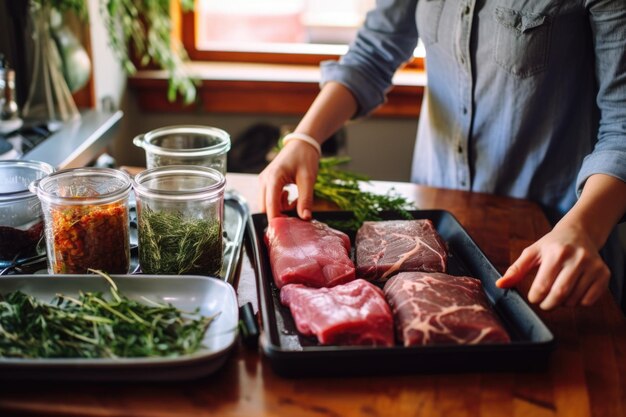
How to Order Fresh and Bulk Meat Online From a Local Butcher (for Delivery or Pickup)
The way people buy meat has changed. Instead of standing in line at the counter and pointing to a cut in the case, more shoppers are now ordering fresh and bulk meat online from local butcher shops—and getting it delivered to their door or ready for quick pickup.
If you enjoy high-quality meat, want better control over what you’re buying, or you simply prefer supporting local businesses, learning how to navigate online butcher ordering can save time and help you plan meals more confidently. This guide walks you through the entire process: from choosing a local butcher and understanding cuts to placing your order, storing bulk meat safely, and avoiding common pitfalls.
Why Order Meat Online From a Local Butcher?
Ordering meat online is not just about convenience. Local butchers often provide:
- Fresher products than many mass-produced options.
- Customizable cuts and portions based on your cooking plans.
- Bulk options that can make meal planning and stocking the freezer easier.
- Local knowledge, such as which cuts are best for certain dishes or how to make use of less common parts.
- Direct support for local businesses and food systems.
Unlike large nationwide meat sellers, local butcher shops usually focus on serving a defined area, which can mean shorter supply chains and fewer handling steps between farm, butcher, and your kitchen.
Step 1: Find a Local Butcher That Offers Online Ordering
The first step is identifying a butcher in your area that supports online ordering with delivery or pickup.
What to Look For in a Local Online Butcher
When evaluating butcher shops that sell online, consider:
Service area and delivery options
- Do they deliver to your address, or is it pickup only?
- Are there minimum order amounts or delivery fees?
Transparency about sourcing
- Do they mention where their meat comes from (local farms, regional suppliers)?
- Are they clear about whether items are fresh, previously frozen, or frozen?
Product range
- Do they offer the meats you actually cook with: beef, pork, poultry, lamb, game, or specialty items?
- Are there bulk packs, family bundles, or wholesale options?
Customization options
- Can you choose thickness, weight, grind size, or portion size?
- Do they allow special instructions in a note field?
Ordering experience
- Is the site easy to navigate on both desktop and mobile?
- Are descriptions detailed enough to know what you’re getting?
Reputation and customer feedback
- How do customers describe their experiences regarding freshness, accuracy, and communication?
- Are there consistent mentions of punctual delivery and careful packaging?
Talking directly with the shop by phone or message can also reveal a lot about their responsiveness and willingness to answer questions.
Step 2: Understand the Main Types of Meat Available Online
Before placing a large order, it helps to know the basics of what you’re buying. Butchers often list products by animal type, cut, grade, and form. Understanding the terminology helps you make smarter choices.
Common Categories You’ll See
Beef
Typically offered as steaks, roasts, ground beef, ribs, brisket, and specialty cuts.Pork
Includes chops, roasts, ribs, tenderloin, ground pork, and cured or smoked items.Poultry
Whole chickens, chicken parts (breasts, thighs, wings), turkey pieces, and sometimes duck or other birds.Lamb and goat
Chops, shanks, ground, and roasts.Sausages and prepared meats
Fresh sausages, marinated meats, burger patties, meatballs, and sometimes ready-to-cook items.Offal and specialty cuts
Liver, heart, oxtail, marrow bones, soup bones, and more.
Step 3: Learn Basic Meat Cuts and Uses
Ordering online means you can’t ask “What should I cook for stew?” at the counter as easily. A basic understanding of cuts keeps you from buying the wrong thing for your recipe.
Quick Guide: Which Cut for Which Cooking Method?
| Meat Type | Examples of Cuts | Best For |
|---|---|---|
| Beef | Ribeye, strip, tenderloin | Quick searing, grilling, pan-frying |
| Beef | Chuck, brisket, shank | Slow cooking, braising, stews |
| Pork | Pork chops, tenderloin | Roasting, pan-frying, grilling |
| Pork | Shoulder (butt), picnic | Roasts, pulled pork, slow cooking |
| Poultry | Breast (boneless/skinless) | Quick sauté, baking, grilling |
| Poultry | Thighs, drumsticks | Roasting, braising, grilling |
| Lamb | Chops, rack | Grilling, roasting |
| Lamb | Shoulder, shank | Braising, slow roasts |
If you’re unsure about a specific cut listed online, many butchers offer a short description or a “best for” note on each item. If they don’t, using the site’s contact option (or calling) to ask for clarification is often welcomed.
Step 4: Decide Between Fresh and Frozen, Individual and Bulk
Local butchers selling online usually provide several options:
- Fresh vs. frozen
- Individual cuts vs. bulk packages
- Exact weight vs. weight ranges
Each choice has trade-offs.
Fresh vs. Frozen Meat
Fresh meat
- Generally has a shorter shelf life in the fridge.
- Useful if you plan to cook within a few days.
- Can show subtle differences in texture and moisture compared with frozen, depending on handling.
Frozen meat
- Offers more flexibility for meal planning.
- Useful for bulk orders and long-term storage.
- When properly frozen and thawed, many home cooks find little difference in eating quality for most everyday dishes.
Local butchers often freeze meat at peak freshness. Clear labels like “fresh, never frozen” or “flash-frozen” help you understand what you’re receiving.
Bulk vs. Individual Portions
Ordering bulk meat online from a local butcher is appealing for families, frequent cooks, and people who like to batch-cook and freeze meals.
Common bulk options include:
- Family packs (e.g., assorted chicken pieces, mixed ground meats).
- Half or whole animals (such as half a pig, a side of beef, or a whole lamb), depending on the shop.
- Case quantities (for example, a large pack of chicken breasts or ground beef).
💡 Bulk Ordering Tip
If you’re new to bulk meat, start with a smaller bundle. This lets you test how much freezer space you have, how quickly you actually use it, and whether you like the cuts and quality.
Step 5: Check Quality Signals Before You Buy
You can’t see or touch the meat, but there are still reliable ways to gauge quality when ordering online.
Indicators of Quality and Care
Detailed product descriptions
Look for information such as:- Approximate weight
- Whether the meat is bone-in or boneless
- Fat content or leanness (especially for ground meats)
- Whether the meat is trimmed or untrimmed
Clear packaging information
Many butchers specify:- Vacuum-sealed or wrapped
- Number of pieces per package
- Whether items are individually portioned or grouped
Transparency about handling
Some shops describe:- How soon after cutting items are packed
- Recommended use-by or freeze-by time frames
- Storage and thawing suggestions
Visible consistency in photos
Photos are often representative rather than exact, but consistent appearance across product images can signal careful standards.
If anything is unclear, a quick call or message asking about freshness, storage, or cut thickness is generally welcomed by reputable butchers.
Step 6: Compare Prices and Value Without Sacrificing Quality
Price is one piece of the decision, but value is more than a number on the screen.
How to Compare Meat Prices Online
When reviewing online butcher listings, consider:
Price per pound or kilogram
This is the most straightforward way to compare across cuts and shops.Bone-in vs. boneless
Bone-in cuts often cost less per unit weight but may yield less edible meat overall. However, they can add flavor to certain dishes.Trim level
Highly trimmed cuts may cost more upfront but can result in less waste. Lean ground meat usually costs more than options with a higher fat content.Pre-marinated or prepared items
These may cost more due to additional labor and ingredients but can save time.Bulk discounts
Larger packs may offer a lower price per unit. Read the fine print to see whether this truly matches your usage and freezer capacity.
🧾 Value Check Mini-List
Before you finalize your cart, ask yourself:
- Am I paying for meat I will actually use, not just what’s on sale?
- Do I have space to store everything safely?
- Am I gaining value in quality, service, or customization that justifies the cost?
Step 7: Customize Cuts, Grind, and Portions
One of the major advantages of working with a local butcher—especially online—is customization.
Typical Customization Options
Cut thickness
- Steaks can often be cut thicker or thinner.
- Chops and cutlets may be adjustable.
Portion size
- You may choose how many pieces per pack.
- For large roasts, you might request a specific weight range.
Grind type
- Ground beef or other meats can often be ordered with different lean-to-fat ratios.
- Some butchers offer custom blends (e.g., beef and pork mixes).
Bone-in vs. boneless
- Some roasts or chops can be trimmed, deboned, or “frenched” upon request.
Special instructions
- Many online forms provide a note field for requests such as:
- “Please cut steaks 1 inch thick.”
- “Package ground beef in 1-pound portions.”
- “Leave extra fat on roast for slow cooking.”
- Many online forms provide a note field for requests such as:
Being clear and realistic in your notes makes it easier for the butcher to fulfill your order accurately. If a request isn’t possible, some shops will contact you with options.
Step 8: Review Packaging and Delivery or Pickup Options
Meat is perishable, so how it gets to you is as important as what you order.
Packaging and Temperature Control
Look for butchers that describe:
Vacuum-sealed or tightly wrapped packages
This helps preserve freshness and reduce freezer burn.Insulated containers or liners
For delivery, these help keep meat cold.Use of ice packs or similar cooling methods
This supports safe temperatures during transit.Labeling
Each package should be clearly labeled with:- Type of meat
- Cut
- Weight (if applicable)
- Pack or use-by date
Delivery vs. Pickup
Delivery:
- Suitable if you have limited time or transportation.
- Check:
- Delivery days and time windows
- Whether someone needs to be home
- Where the driver will leave the package if you’re not available
- Any instructions for apartment buildings or gated communities
Pickup:
- Useful if you’re near the shop.
- Advantages:
- You can transport the meat straight to your fridge or freezer.
- Some people like a quick visual check at pickup.
- Check:
- Pickup time slots and cutoff times for same-day orders
- Whether curbside pickup is available
📦 Delivery Day Checklist
- Plan to be home during the delivery window, if possible.
- If not, prepare a cooler at your doorstep with ice packs and clear instructions, if the shop allows that approach.
- Once you receive the order, refrigerate or freeze items promptly.
Step 9: Place Your Order Step-by-Step
Once you’ve chosen your butcher and planned your items, the actual ordering process typically follows a predictable pattern.
Common Steps When Ordering Meat Online From a Local Butcher
Browse the categories
Explore sections like “Beef,” “Poultry,” “Bundles,” or “Weekly Specials.”Read descriptions carefully
Check weight ranges, packaging size, and whether items are fresh or frozen.Add items to your cart
Consider:- Variety (some quick-cook cuts, some for slow cooking)
- Balance (meals for different days of the week)
- Your actual storage capacity
Use special instructions fields
Add reasonable notes about cuts or packaging preferences.Select delivery or pickup
- Choose an available date and time window.
- Double-check your address and contact details.
Review your order summary
Look for:- Any duplicates you don’t want
- Quantities that are larger or smaller than intended
- Clear indication of fees or minimum order surcharges
Submit and confirm
- Complete payment through the shop’s system.
- Save any confirmation emails or order numbers.
- Note the expected date and time frame.
If the butcher offers order tracking or text updates, enabling these can help you plan your day around the delivery or pickup.
Step 10: Check Your Order When It Arrives
When your meat arrives—or when you pick it up—take a few minutes for a quick but careful check.
What to Inspect
Temperature feel
Items should be cold to the touch or frozen solid, depending on what you ordered.Packaging integrity
- No tears in vacuum seals.
- No significant leakage.
- Outer box intact and clean.
Item accuracy
- Compare the included cuts and quantities with your order confirmation.
- Verify that any special instructions (like portion sizes) were followed where possible.
Label clarity
Make sure each package is labeled so you can identify it later in the freezer.
If you notice any significant issues (such as damaged packaging or clearly incorrect items), most local butchers appreciate being contacted promptly so they can address it.
Step 11: Store Your Meat Safely—Especially Bulk Orders
Ordering bulk meat online from a local butcher is only worthwhile if you can store it safely.
Basic Storage Guidelines
Refrigeration
- Use the refrigerator for meats you plan to cook in the next few days.
- Place packages on a plate or tray to catch any drips, especially in shared fridges.
Freezing
- Freeze meat you won’t use soon.
- For bulk packs:
- Consider repacking into smaller portions before freezing if not already portioned.
- Use freezer-safe bags or wraps and remove excess air where possible.
- Label with:
- Type of meat
- Cut
- Date of freezing
Organize by “first in, first out”
Place older items toward the front or top of the freezer and newer ones behind or underneath.
🧊 Bulk-Freezing Mini-Checklist
- Portion large packs into meal-sized amounts.
- Label clearly: meat type, cut, date.
- Keep a simple freezer list on your phone or a notepad to track what you have.
Step 12: Plan Meals Around Your Online Butcher Orders
Once your freezer is stocked, the real benefit kicks in: easier meal planning.
Simple Ways to Maximize Your Meat Order
Group by cooking method
- Quick-cook cuts (chicken breasts, pork chops, steaks) for busy nights.
- Slow-cook cuts (shoulder, chuck, shanks) for weekends or days at home.
Batch cooking
- Use bulk ground meat for large batches of sauces, chili, meatballs, or burgers.
- Freeze cooked portions in meal-sized containers.
Use every part
- Bones and trimmings can often be turned into stock or broth.
- Some shops sell soup bones or marrow bones ideal for this.
Rotate protein types
- Ordering a mix of beef, poultry, pork, and other meats can help you avoid repetition in weekly menus.
Common Mistakes to Avoid When Ordering Meat Online
Awareness of frequent missteps can help you have a smoother experience from the beginning.
Frequent Pitfalls
Overestimating freezer space
Many people order a large bulk pack and then realize there isn’t enough room in their freezer. Measuring or roughly estimating space beforehand can prevent this.Ignoring packaging details
Not checking how items are portioned may leave you defrosting more meat than you need for a single meal.Forgetting about delivery timing
If you choose a delivery window when nobody is home for many hours, meat may sit outside longer than ideal.Not reading weight ranges
Some products are priced per weight range (for example, a roast that “weighs approximately X–Y pounds”), which can slightly change your total cost.Skipping special instructions when it matters
If thickness or portion size is important to you, leaving the request field blank might mean you receive standard cuts that don’t match your cooking plans.
Quick Reference: Key Tips for Ordering Meat Online From a Local Butcher
Here is a concise set of practical reminders you can refer to before your next order:
🧾 At-a-Glance Checklist
🥩 Choose the right shop
- Check delivery area, product range, and reputation.
- Look for clear information about sourcing and handling.
📜 Read descriptions closely
- Fresh vs. frozen
- Weight, portion size, and packaging
- Cooking suggestions, when provided
📦 Prioritize safe packaging and shipping
- Insulated packaging for delivery
- Clear labeling on each package
- Cold or frozen items on arrival
🧊 Plan storage in advance
- Confirm you have enough fridge/freezer space.
- Repackage bulk orders into meal-sized portions if needed.
- Label contents and dates clearly.
🍲 Match cuts to cooking methods
- Tender cuts for quick cooking
- Tougher cuts for slow or moist cooking
- Use specialty cuts for stocks or specific recipes
📅 Order with your week in mind
- Fresh items for the immediate days ahead
- Frozen or bulk items for future meals
- Balance variety across your order
Bringing It All Together
Ordering fresh and bulk meat online from a local butcher shop blends old-fashioned craftsmanship with modern convenience. Instead of rushing to the store every time you want to cook, you can:
- Select cuts thoughtfully from a detailed online menu.
- Rely on a local expert to prepare your meat exactly how you like it.
- Stock your kitchen with versatile ingredients for both everyday meals and special occasions.
By understanding cuts, clarifying your preferences, planning storage, and paying attention to delivery logistics, you turn a simple transaction into a reliable system for keeping quality meat on hand.
Over time, many customers develop an ongoing relationship with their local online butcher. They learn which bundles fit their household, which cuts they love most, and how to tweak orders for changing seasons and schedules. With a bit of planning and the guidance above, you can do the same—making your kitchen better stocked, your meal planning easier, and your cooking more enjoyable.